When you ask an LLM to write a component, you usually end up prompting, waiting, and then tweaking the result. That works for tiny tasks, but as soon as a feature spans multiple files or needs a few days of polishing, a single prompt becomes a bottleneck. Erik Hanchett’s recent DEV post shows how to push the agent beyond “prompt‑and‑fix” by treating it like a tiny background worker that can run on its own schedule, remember your preferences, spin up sub‑agents, follow multi‑step workflows, and even act as a chatbot for you. The five patterns—scheduled jobs, memory, sub‑agents, workflows, and bots—are demonstrated with Kiro Crew, an open‑source coding harness that runs on a local gateway or in the cloud.
In this article we’ll walk through each pattern, explain why it matters for everyday frontend work (think Lighthouse audits, Vue‑specific defaults, or automated pull‑requests), and give you concrete steps to try them in your own projects. By the end you’ll have a toolbox that lets an AI agent keep coding while you focus on design, testing, or the next sprint.
What happened
When I started experimenting with AI‑assisted coding, I quickly ran into the same bottleneck most of us face: every useful change still required a fresh prompt, a waiting period, and then a manual review. To break out of that cycle, I drafted a short post that distills five reusable agent patterns—scheduled jobs, persistent memory, sub‑agents, workflow orchestration, and autonomous bots. Each pattern pushes the coding harness a step beyond a single request, letting it keep working while you attend to other tasks.
All of the examples are built on Kiro Crew, the open‑source coding harness I use most often. Kiro Crew can run on a local gateway, a personal laptop, or a cloud VM, and it exposes a simple interface for defining prompts that execute on a timer, store context, or spawn helper agents. By wiring these capabilities together, I was able to show a daily Lighthouse audit that runs automatically, captures the report, and even opens a pull request with suggested fixes. Another demo is a weekly “call‑for‑papers” finder that scans conference sites every Monday at 9 a.m., aggregates relevant tracks, and drops a concise summary in my inbox.
While Kiro Crew provides the playground for these patterns, the underlying ideas aren’t exclusive to it. Similar constructs appear in other emerging products—Claude Code offers built‑in scheduling hooks, Codex supports persistent context across sessions, and OpenClaw includes a sub‑agent framework for delegating subtasks. By highlighting the commonalities, the post makes it clear that you can start experimenting with any of these tools today, using the same pattern language to get your own coding harness running unattended.
Why it matters
When an agent can run a scheduled job that automatically runs Lighthouse or accessibility audits, the repetitive grunt work disappears from our daily to‑do list. Instead of opening a terminal, launching a test, and manually fixing the report, the agent does it on a timer and drops a pull request with the fixes. That frees us to spend the saved minutes on layout decisions, component APIs, or performance‑critical refactors—tasks that actually move a product forward.
Persistent memory takes the convenience a step further. By remembering that we prefer Vue.js, tabs over spaces, or a particular UI library, the agent no longer asks us to repeat those preferences for every new project. The memory files live in a simple markdown folder and are pulled into context whenever the agent needs to generate code or configuration. This reduces friction, especially in larger codebases where a single mis‑typed flag can cascade into broken builds.
Sub‑agents and workflow definitions let us break a big feature into bite‑size, autonomous steps. One sub‑agent might scaffold a component, another could run visual regression tests, and a third could update documentation. The workflow stitches these pieces together, so the overall feature is assembled without us having to juggle a chain of prompts. This decomposition mirrors how we already split work across npm scripts or CI pipelines, but the agent handles the orchestration automatically.
All of these patterns address a pain point that shows up whenever we try to solve a multi‑step problem with a single prompt: the interaction stalls, we run out of context, or we have to re‑enter the same details over and over. By adding scheduling, memory, sub‑agents, and workflows, the agent stays productive while we step away, turning what used to be a series of manual hand‑offs into a smooth, self‑sustaining pipeline.
How it works (background)
The scheduling pattern attaches a cron‑style expression directly to a prompt definition. When the gateway—Kiro Crew’s lightweight orchestrator—reads the expression it queues the prompt and fires the agent at the exact times you specify, without any extra code. Because the schedule lives alongside the prompt, you can create or edit jobs through chat (for example, “run Lighthouse on /pricing every night at 2 am”) and the gateway will translate that into a standard cron line like 0 2 * * *. This makes recurring tasks feel like first‑class prompts rather than separate scripts.
Memory is persisted as plain‑markdown files in ~/.kiro/crew/workspace/memory. Each file can hold preferences, project‑specific notes, or any arbitrary snippet you ask the agent to remember. When a prompt runs, the harness scans the folder and injects any relevant markdown into the model’s context, giving the agent instant recall of prior decisions. Because the format is just markdown, you can edit it with any editor, version it, or even share snippets across projects, and the agent will treat the content as part of its working knowledge.
Sub‑agents are independent LLM instances that the main agent can spin up on demand. If a task requires a specialized skill—say, generating SVG diagrams or performing a deep code analysis—the main agent delegates that portion to a sub‑agent, which runs in parallel and returns its result. This division of labor lets the overall workflow stay responsive, as multiple sub‑agents can operate concurrently instead of forcing a single prompt to handle everything sequentially.
Workflows stitch together a series of prompts and actions into a pipeline that advances automatically. After the first step finishes, its output becomes the input for the next, and so on, until the final result is produced. Because the pipeline is defined ahead of time, you can let the agent run end‑to‑end without manual intervention, turning a multi‑step development task into a repeatable automation.
Finally, bots expose the agent’s capabilities through chat interfaces or API endpoints. By wrapping the scheduled jobs, memory lookups, sub‑agent calls, and workflow steps behind a conversational UI or a RESTful API, you get an interactive assistant that can be queried from your terminal, IDE, or CI system. This layer makes the underlying patterns usable by anyone on the team without needing to understand the internal orchestration.
- 1
Experiment
Started using AI‑assisted coding and hit the prompt‑and‑fix bottleneck.
- 2
Define patterns
Identified five patterns: scheduled jobs, memory, sub‑agents, workflows, bots.
- 3
Implement with Kiro
Built demos (daily Lighthouse audit, weekly paper finder) using Kiro Crew.
- 4
Run autonomously
Agent executes on schedule, remembers preferences, and creates PRs without manual prompts.
The key details and numbers
A schedule entry in Kiro Crew is just a tiny bundle of data: the cron expression that tells the agent when to fire and the timezone that anchors it to your local clock. For example, 0 7 * * * runs the job every day at 7 a.m., and you can tweak the timezone without touching the expression itself. The UI surfaces both fields side‑by‑side, so you don’t have to remember the syntax—just ask the chat to “run a Lighthouse audit every morning at 7 a.m.” and the agent writes the entry for you.
Memory lives under a hidden folder in your home directory (~/.kiro/…). Each file is plain markdown that the agent can pull into context on demand. In the Kiro IDE you can flip the memory setting among four modes: off (the default), use, learn, or both. Turning it on lets the agent remember preferences—like “I prefer Vue.js” or “tabs over spaces”—and optionally extend that knowledge to new projects. The toggle is per‑project or global, so you can experiment without polluting other workspaces.
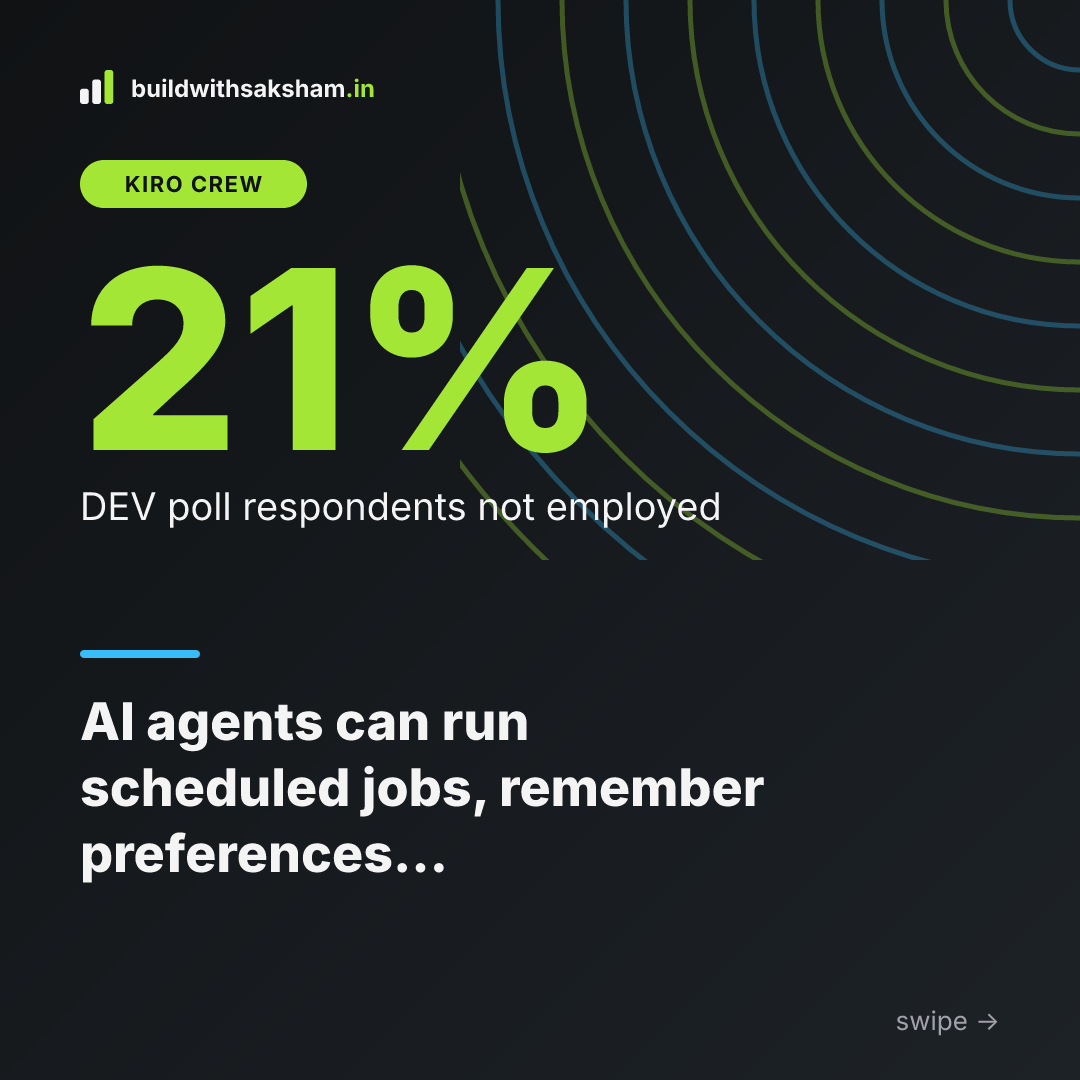
A recent poll in a DEV community of roughly 500 members got 76 responses. Of those, 16 people—about 21 %—said they were not currently employed. While the sample is small, the figure highlights that a non‑trivial slice of the community is navigating job uncertainty even as AI tooling becomes more prevalent.
When you push a top‑tier multimodal model through a visual UI‑comparison workflow, the token count can skyrocket. Each screenshot, design mockup, and prompt adds to the request payload, and the model’s response can be equally hefty. That translates into noticeable cost per run, especially if you’re running the comparison nightly or on every pull request. It’s a reminder that the convenience of powerful vision models comes with a price tag that teams need to budget for.
What it means for developers
When you hook a scheduled job into your CI pipeline, the agent can run a linting, performance or accessibility check every night and open a pull request with the fixes. Because the job is just a prompt plus a cron expression, you don’t have to hand‑craft a script each time—you ask the agent, “run Lighthouse on /pricing at 02:00 every night and open a PR with any regressions,” and it creates the job for you. The result is a steady stream of small, reviewable PRs that keep the codebase clean without any manual effort.
Turning on memory gives the agent a persistent sense of your preferences. Once you tell it you prefer Vue / Nuxt defaults, that preference is stored in a markdown file under ~/.kiro/crew/workspace/memory and automatically applied to every new scaffold. You don’t have to repeat the same “use the Options API” or “tabs over spaces” flag for each project; the agent pulls the saved rules into context and produces consistent scaffolding across the whole repo family.
Sub‑agents let you offload very focused tasks to specialized workers. Need an SVG diagram for a component’s architecture? Spin up a diagram sub‑agent that knows how to call a vector‑generation model. Want to fetch an OpenAPI spec and generate a typed client? A separate API‑spec sub‑agent can handle the request, returning clean code that the main agent can then integrate. By delegating these niche jobs, the primary workflow stays lean while the heavy lifting happens in parallel.
Workflows turn a multi‑step feature generation into a version‑controlled script. You can encode “run the spec prompt → generate component skeleton → run lint fix job → open PR” as a single workflow file, commit it to the repo, and replay it reliably on any branch. This makes the process repeatable and auditable, reducing the chance of a missed step.
Finally, bots bring the agent into the tools you already use. Whether you invoke the bot from VS Code, your terminal, or a chat client, you get the same AI assistance without leaving your development environment. The bot acts as a thin wrapper around the scheduled jobs, memory, sub‑agents and workflows, letting you query or trigger them on demand and keeping the AI tightly integrated with your everyday workflow.
Limits and caveats
Even with the five patterns in place, an agent is not a set‑and‑forget tool. The code it emits still needs a human pair of eyes before it lands in a repository. Edge‑case handling, performance tweaks, or security considerations are rarely captured in a single prompt, so developers must review the diff, run their own tests, and decide whether the suggested change is safe to merge.
The memory feature described in the original post lives in a plain‑text folder under ~/.kiro/crew/workspace/memory. Because it’s just markdown files, the data can be lost if the host machine crashes or if the directory isn’t backed up. Stale preferences also creep in when the memory isn’t regularly synced with version control or refreshed after a project’s architecture changes.
Running visual checks at high resolution or scaling a scheduled job to cover an entire codebase can quickly eat tokens, especially when you use a multimodal model for image‑to‑text comparison. As another developer pointed out, “the token consumption can be huge” and organizations that haven’t allocated a budget for LLM usage may see unexpected cost spikes.
Scheduling relies on correct cron syntax and the right timezone setting. A typo in the expression or a mismatch between the server’s clock and the intended zone can cause a job to fire twice or not at all, leading to missed Lighthouse audits or duplicated PRs.
Finally, adding sub‑agents gives you more modularity but also more moving parts. Each sub‑agent introduces an extra round‑trip to the model, which can add latency and surface coordination bugs if the orchestration logic isn’t robust. In practice, the more layers you stack, the harder it becomes to trace why a particular output was generated, so careful testing and clear contracts between agents are essential.
Key takeaways
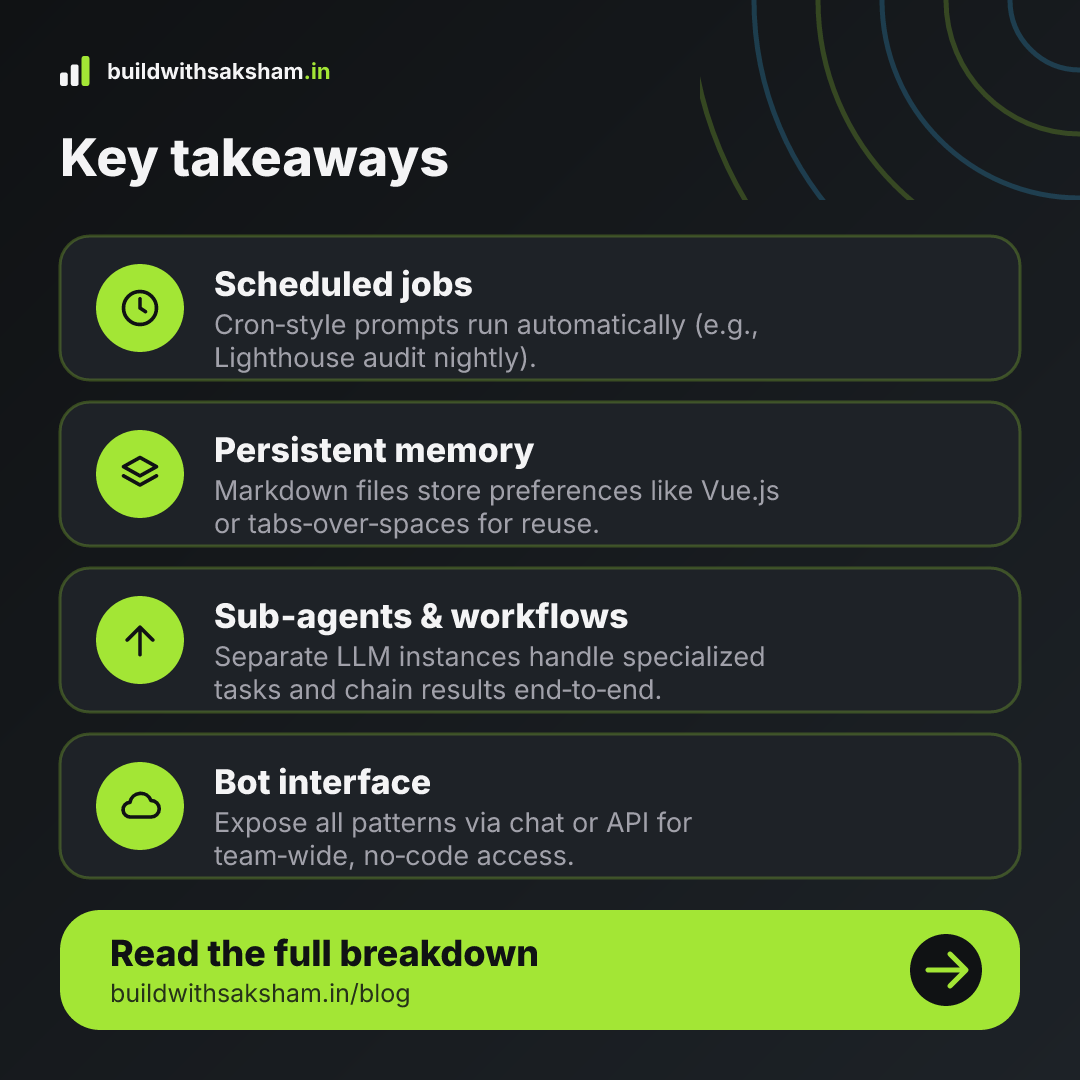
- Scheduling lets you run AI agents on a timer (e.g., daily Lighthouse audits or news research) so work continues while you’re offline.
- Enabling memory stores preferences and project context in plain markdown files, allowing the agent to recall things like your preferred framework or coding style across sessions.
- Subagents let a main agent delegate specific tasks to specialized helpers, breaking complex problems into manageable pieces.
- Workflows let you chain multiple prompts and actions into a repeatable pipeline, turning a series of steps into an automated process.
- Bots expose agent capabilities via chat or API endpoints, making it easy to trigger AI‑driven actions from other tools or services.
Visual summary
The key points as images. Tap one to open it, or save it to share.